- On the RP2DV, can all of the modules be moved to different Dupont connectors as required?
Generally yes. One exception is any module that offers a USB Port connected to the onboard USB Hub. These modules must be connected to Dupont [A], as this provides the required USB+/- and 5V pins. There may be some modules that require a specific Dupont connector ([A], [B] or [E]). For example the BOOT and RESET button module requires [B]. If a module requires a specific connector all other connectors will be crossed out. This information is included on the module labeling directly on the front of the module.
If you are moving modules to different Dupont connectors please remember to change the pin settings in your code so that the match the pins on the target Dupont connector. See our Boards page for information on pin names and assignments.
- Can the Audio output of the RP2DV Mizo or S3V Zushi drive Speakers?
No. The audio output is adequate for most earbud headphones, but it is not sufficient to drive speakers. You would typically connect the line level output to amplified computer speakers or to a stereo amplifier.
- Does the RP2DV “Mizo” Support HDMI? Does the video signal include Audio?
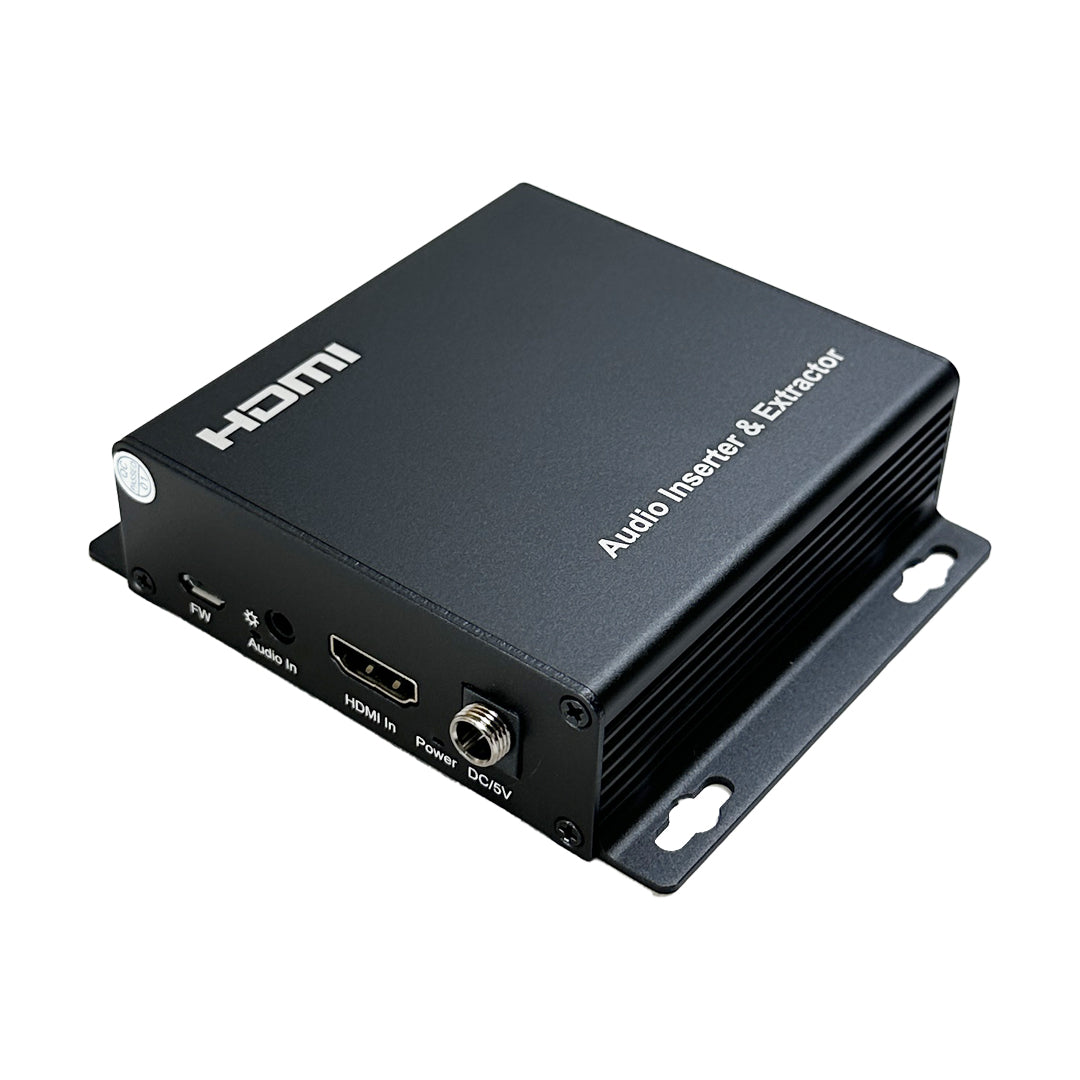
Technically, the RP2DV (“Mizo”) is a DVI device and it is not fully HDMI compliant. That said, you do use it with HDMI cables and it works with the standard HDMI inputs on virtually all TVs and computer monitors. The major difference is that The RP2DV does not provide interleaved audio over HDMI. You will need to use ear buds or powered speakers for audio playback as the audio output is line level. It is possible to “inject” audio back into the DVI signal using an audio embedder similar to this unit:

- What Video Resolutions does the RP2DV “Mizo” Support?
The standard resolution for CircuitPython are 320X240, 640X480 and 720X400. For maximum compatibility we recommend 640X480. Higher resolutions may be possible due to the overclocking capabilities of the RP2DV.
- What Video Resolutions does the S3V “Zushi” Support?
Supported resolutions are typically 320X240, 640X480 and 800X600. 640X480 is generally the best resolution for a wide compatibility with both TVs and computer monitors. We’ve also had some success with 800X600 (computer monitors only) in AnnexRDS. Arduino libraries (e.g., Bitluni’s) can support resolutions up to 720p; though 720p output is at the absolute limit of performance on the ESP32S3. We recommend 640X480 for the vast majority of user scenarios, as this resolution enables VGA output and other simultaneous activities (audio playback etc.).
- Can the ESP32-S3 S3V “Zushi” Support HDMI only TVs/Monitors?
Yes. While the Zushi is natively a VGA board you can connect it to a VGA to HDMI converter if you need HDMI connectivity. These converters are very inexpensive (~$10) from Amazon and AliExpress.
One of the advantages of using a VGA to HDMI converter is that that you can embed (optionally) the line level stereo audio signal generated by the Zushi into the HDMI signal. Doing so enables TV’s to play video and audio from the Zushi. Accordingly, we recommend that you purchase a converter that supports audio (line level) input in addition to VGA. We have had great results with converters that look like this model:

- What makes Brainboardz Unique?
BrainBoardz has developed an ultra-low cost ESP32S3 based VGA board (“Zushi”) and, inspired by the Adafruit Fruit Jam, we have recently introduced the amazing RP2350B equipped RP2DV “Beanz” DVI based board. The RP2DV Mizo board works with virtually all consumer TVs and computer monitors using a regular HDMI cable. It provides amazingly crisp digital audio via a TI I2S DAC (earbuds or powered speakers are required), as well as loads of GPIOs and 3 USB ports (4 USB total) for endless experimentation. We’ve also been working hard on a expanding our lineup of BZModules (BZMods) and BZCards. BrainBoardz is, in essence, building a low cost plug-and-play system for video/audio focused electronics that everyone can afford to use. We are calling this approach Plug and Code.